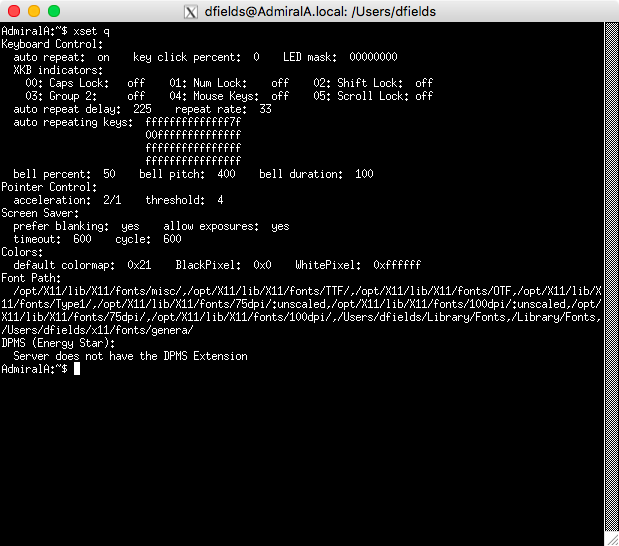
Although away, I have my laptop with me and decided to try to get Xquartz running with the Genera X11 fonts.
- Find the Genera X11 fonts (in
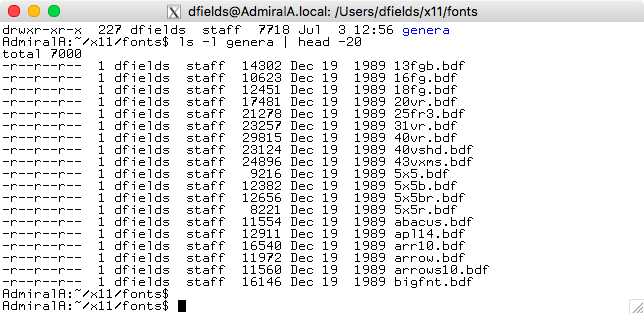
bdfformat) and transfer them to your Mac. I put them in~/x11/fonts/genera/. On Genera system they will be in the LMFS somewhere and can be transferred using NFS.- If necessary: On the Mac, rename the fonts to lower case and get rid of any Genera version number.
tris good for case conversion andfor i in * ; do echo $i `echo $i | sed 's/\.~.*//'` ; doneworks to remove version numbers. (Man, this blog software makes it difficult to put commands with backticks and backslashes into code blocks.)
- If necessary: On the Mac, rename the fonts to lower case and get rid of any Genera version number.
- Alternatively, you can mount the ISO9660 partition of your Genera 8.3 distribution CD on the Mac using a command like
mkdir /Volumes/CD ; sudo mount_cd9660 -e /dev/disk3 /Volumes/CDand then copy thebdfand other X11 font files. (By default macOS mounts the HFS partition so you will only see the MacIvory files.)- Add the
goption to themount_cd9660to see the Genera version numbers appended to the filenames - but you'll have to remove these when you copy the files. - (Add the
roption to the mount command to see the file system without Rockridge format, for curiosity sake. This also changes the version number format and makes them all caps. You can also use thejoption to disable Joilet.) sudo umount /Volumes/CDto unmount it; the regulardiskutil unmountand other Mac utilities won't unmount this.
- Add the
AdmiralA:~/x11/fonts/genera$ diskutil list
...
   #:                       TYPE NAME                    SIZE       IDENTIFIER
   0:     Apple_partition_scheme                        +636.7 MB   disk3
   1:        Apple_partition_map                         32.3 KB    disk3s1
   2:          Symbolics_ISO9660                         615.4 MB   disk3s2
   3:                  Apple_HFS MacIvory Support 4.2    21.0 MB    disk3s3
...
AdmiralA:~$ ls -l /Volumes/CD/sys.sct/x11/fonts/bdf/genera/ | head -5
total 6476
-r-xr-xr-x  1 root  wheel  14302 Dec 19  1989 13fgb.bdf.~3~
-r-xr-xr-x  1 root  wheel  10623 Dec 19  1989 16fg.bdf.~3~
-r-xr-xr-x  1 root  wheel  12451 Dec 19  1989 18fg.bdf.~3~
-r-xr-xr-x  1 root  wheel  17481 Dec 19  1989 20vr.bdf.~3~
- In the directory with all the font files, run the
mkfontdirprogram, which will make a file calledfonts.dirwhich seems to contain a mapping from a filename to a font name.
AdmiralA:~/x11/fonts/genera$ mkfontdir
AdmiralA:~/x11/fonts/genera$ fgrep genera-cptfont fonts.dir
cptfont.bdf genera-cptfont
cptfontb.bdf genera-cptfontb
cptfontbi.bdf genera-cptfontbi
cptfontc.bdf genera-cptfontc
cptfontcb.bdf genera-cptfontcb
cptfontcc.bdf genera-cptfontcc
cptfonti-german.bdf genera-cptfonti-german
cptfonti.bdf genera-cptfonti
cptfontr.bdf genera-cptfontr
- In the Xquartz
xtermwindow, add this font directory to the font path (xset fp+ ~/x11/fonts/genera) and activate it (xset fp rehash). - Using FontForge I looked at various fonts and determined that
genera-cptfontseems to be the normal Genera console font. - Test that the fonts are installed by using one:
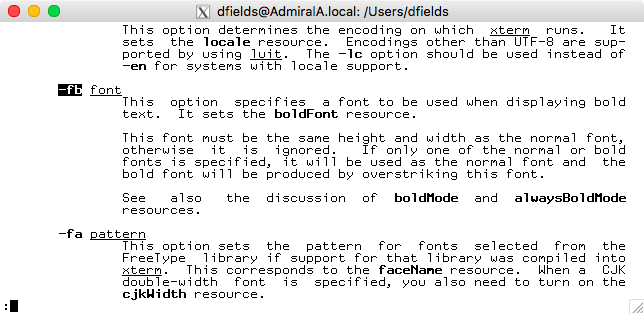
xterm -fn genera-cptfont -fb genera-cptfontb. Note that as it turns out, these two fonts are not compatible withxterm's needs (identical bounding boxes) so just usexterm -fn genera-cptfont.
- After a little Googling and reverse engineering (including looking at files in
/opt/X11/lib/X11/xinit/xinitrc.d) I have determined that you can make permanent XQuartz font path changes by adding a~/.xinitrc.ddirectory and one or more shell files in here. So, I created an executable~/.xinitrc.d/10-add-genera-fonts.shfile with these commands:
xset fp+ ~/x11/fonts/genera/
xset fp rehash
- Just for your curiosity, here is my
.Xresourcesrelated to XTerm, and how XTerm now looks when XQuartz starts up.
XTerm*saveLines: 65536
XTerm*VT100.geometry: 100x40
XTerm*reverseVideo: on
XTerm*scrollBar: true
XTerm*rightScrollBar: true